Live Anime Shimeji Screen Pets
- 4.7
- Rating
- 500.00K
- Installs
- Free
- Price

 Analysis by App-foxy
I enjoy personalization apps that change the mood of a phone without forcing me to rebuild the entire interface. Live Anime Shimeji Screen Pets takes that lighter approach: instead of replacing icons, wallpapers, or menus, it adds cute anime-style companions that move around the screen. After spending time with it, I see the appeal immediately. The phone feels more playful, but the app remains focused on a single idea rather than trying to become a full launcher or theme suite.
Developed by Neko Soft, this free personalization app is aimed at people who want a small visual distraction during ordinary phone use. Its store summary describes interactive Shimeji pets roaming across the display, and that is the central experience here. The app is rated for Everyone, so it is easy to understand why it may appeal to younger users, anime fans, and anyone who likes expressive decorations instead of static backgrounds.
My overall impression is positive, with one important condition: this is best treated as a playful screen accessory, not as a productivity tool. The pets add charm during pauses between messages, browsing sessions, and work tasks, but they are not meant to deliver practical phone functions. If you want a calm, uncluttered display, the same behavior that makes the app fun may eventually feel distracting.
You May Also Like

 Blood Strike: 2.5 Anniversary
Blood Strike’s Loadouts Turn Every Drop Into a Tactical Gamble
A close look at Blood Strike’s custom loadouts: how fast access to signature weapons reshapes its battle royale rhythm, rewards preparation, and narrows the gap between fights.

 Pandora - Music & Podcasts
Pandora’s Music Is Easy to Start, but Harder to Recover
Pandora’s strength is its low-effort path from a seed to a station. Its weak spot is how much confidence it asks you to place in connection, setup, and quiet recovery.

 8 Ball Pool
 Is Built on Rivalries, Rematches, and Routine
A close look at the rivalries, rematches, shared routines, and unanswered safety questions that turn a quick pool match into a persistent mobile community.

 Samsung Music
’s Quiet Strength Is Playing What You Already Own
Its reach comes less from spectacle than from dependable access to a personal library. That simplicity is both the app’s strongest retention engine and its ceiling.

 AccuWeather: Weather Radar
AccuWeather Review: A Quick, Clear Forecast for Everyday Decisions
For everyday plans, the best forecast is the one you can understand quickly. AccuWeather makes rain timing, radar, and local conditions easy to act on, with a few trade-offs.

 Hill Climb Racing
Why Hill Climb Racing Still Turns Crashes Into One More Run
A tiny car, a bumpy hill and one more upgrade: Hill Climb Racing keeps resurfacing because its simple chaos makes every near-miss feel personal.
More From Our News Desk



How the pets feel during everyday phone use
I find that these pets work best when I treat them as a small, optional accent rather than part of the phone’s essential interface. A useful first check is to see whether their movement draws my eye away from the app I’m using; that tells me when to enjoy the decoration and when a quieter screen is the better choice. From there, trust comes down to the controls and choices I can verify for myself.
A quick start with a very specific purpose
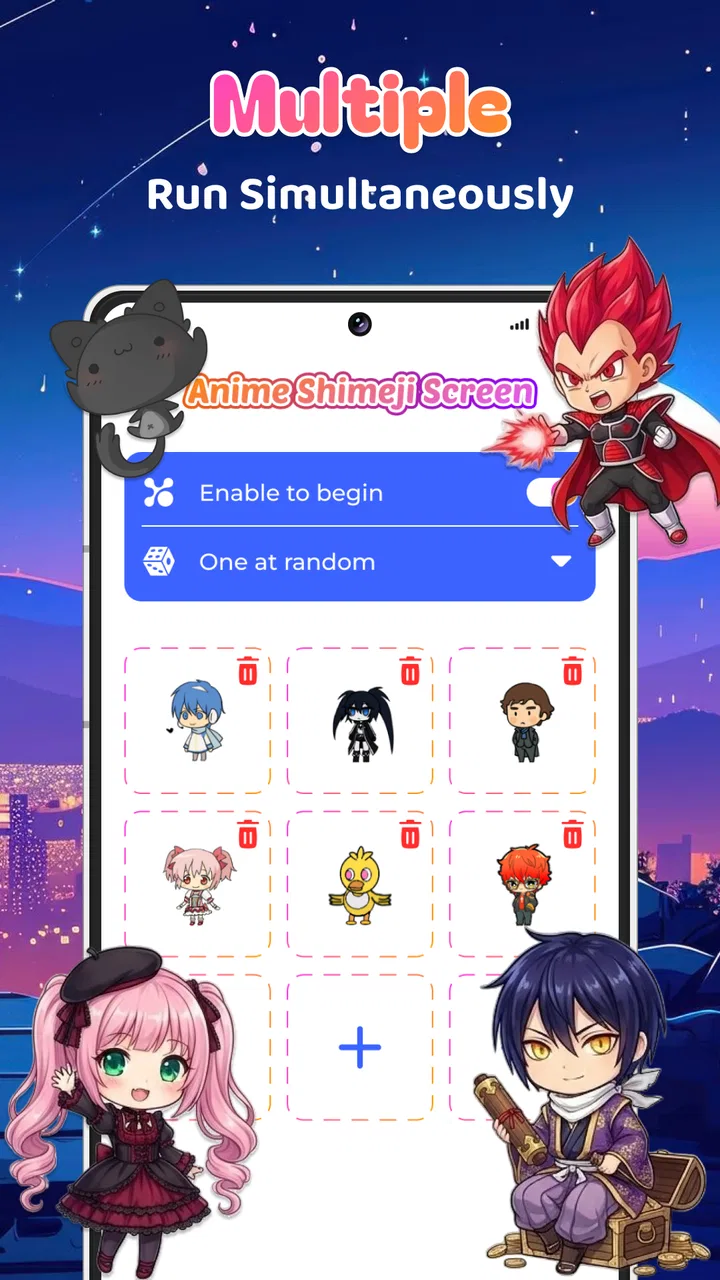
The experience is easy to understand because the concept does not need much explanation. You install the app, choose to use its animated companions, and then watch them occupy the screen as you continue using the phone. There is no need to learn a complicated editing system before seeing the result. That directness is one of its strongest qualities.
I would describe the visual effect as a layer of personality rather than a complete customization setup. A wallpaper changes what I see behind my apps, while a launcher changes how I reach them. These Shimeji pets sit somewhere else: they make the active screen feel alive while leaving the familiar phone layout in place. That makes the app a better fit for someone who likes the current home screen but finds it visually dull.
The most enjoyable moments are not necessarily long sessions inside the app. I found the idea works better in the background of normal routines: checking a notification, waiting for a page to load, or picking up the phone during a short break. The pets turn those empty seconds into a small visual event. The real strength is the sense of company during otherwise forgettable moments, not a deep interactive system.
What happens when the phone is busy
Performance expectations need to stay realistic. Animated screen companions naturally ask the phone to keep drawing moving elements while other apps are open. On a modern device, I would expect the basic experience to feel light enough for casual use, but I would not assume every phone will handle a persistent animated layer identically. The minimum operating-system requirement is Android 7.0, which makes the app broadly accessible to older Android devices, but age alone does not tell me how much spare memory or processing power a particular phone has.
In practical terms, the biggest difference will probably appear when the phone is already busy. Switching between a video app, a demanding game, and a screen pet overlay creates a very different workload from reading messages or browsing a simple webpage. If the phone begins to feel warm, animations become less smooth, or another app reloads after switching back, I would temporarily disable the pets before blaming the rest of the device.
That is a useful way to judge it: test the app during your normal routine rather than during an isolated launch. Open the apps you use most, move between them several times, and notice whether the decoration remains pleasant or becomes another thing competing for attention. The app is supposed to make the phone more enjoyable, so a small performance cost is only worthwhile when the visual reward still feels meaningful.
Stability and recovering from interruptions
Any app that remains visible while other apps are running has to deal with interruptions. Calls, notifications, screen locking, app switching, and system memory management can all change what remains active. I would not treat a pet disappearing after a long period away from the phone as proof that the app is broken; Android may reclaim background resources, especially on devices with aggressive battery management.
My preferred recovery routine is simple. If the companion stops appearing, I would reopen Live Anime Shimeji Screen Pets, check whether its active display setting is still enabled, and then continue using the phone. If the issue returns, restarting the phone is a sensible next step before reinstalling anything. This is not a complicated app, so recovery should not require a lengthy setup process.
There is also a trade-off between persistence and reliability. The more continuously an animated pet stays available, the more the phone has to maintain that visual layer. If your device frequently closes background processes, you may need to accept that the pets will not always be present after long periods away. Users who want a decoration that never changes or disappears may be happier with a static wallpaper.
Where device limits matter most
The Android requirement begins at version 7.0, but compatibility is only the first question. A phone can run the operating system and still have limited memory, a modest processor, or a battery that is already under pressure. Those factors matter more for a moving screen companion than they would for a single still image.
I would be especially cautious on an older phone used for navigation, video calls, gaming, or other demanding tasks. In that situation, a decorative overlay may be the first thing I remove when the phone feels sluggish. It is also worth considering screen size. On a compact display, a roaming character can occupy a larger proportion of the visible area, making the effect feel more intrusive than it would on a larger phone.
Battery expectations deserve the same balanced view. I would not claim a specific battery impact without measuring the app across different devices and settings, but animated content can require more ongoing work than a static background. If you are trying to stretch the last part of a charge, disabling the pets is a sensible compromise. The app is free to install, so there is no reason to keep it active when its visual benefit is not worth the extra activity.
Using it without making the phone annoying
The best workflow is to decide when you want the pets rather than leaving them active automatically all day. I would use them during relaxed personal time, on a home screen that I check often, or when showing the phone to someone who enjoys anime-inspired decoration. For work, study, banking, navigation, and reading, I would prefer a cleaner display.
This selective approach also makes the novelty last longer. When every phone interaction includes movement, the effect can become background noise. Turning it on for a few hours, then returning to a quieter screen, gives the companions a clearer purpose. It also provides a simple way to identify whether the app affects your concentration or device comfort.
A practical test is to keep the pets active while doing a familiar task, such as replying to messages, then repeat that task with them disabled. If you make more mistakes, lose track of buttons, or simply feel irritated, the app is not failing; it is revealing that animated decoration does not suit that workflow. Personalization should follow your habits, not dictate them.
What makes it different from ordinary alternatives
The usual alternatives in this category are static wallpapers, icon packs, full themes, and launchers. Each changes the phone in a more permanent or structural way. A wallpaper is quieter and usually easier on resources. An icon pack can create a coordinated look, but it takes time to apply and may not cover every app. A launcher can offer more control, although it also changes familiar navigation.
Live Anime Shimeji Screen Pets is more immediate than those options. It does not ask me to redesign the whole interface to get a visible result. That makes it a good choice for someone who wants personality without committing to a new launcher. The trade-off is that it offers a narrower kind of customization: the appeal comes from animated companions, not from carefully matching every icon and menu.
It is also more playful than a conventional live wallpaper because the visual focus is on characters moving around the display rather than on scenery or abstract animation. That distinction matters. Someone looking for a peaceful ambient background may find the pets too active, while someone who wants a little character on the screen may find a normal wallpaper too passive.
Who will get the most from it
I would recommend the app to anime fans, users who enjoy cute digital decorations, and people who want their phone to feel less mechanical. It is particularly suitable for someone who likes changing small details of a device but does not want to replace the launcher. Families may also find the Everyone rating reassuring, although individual preferences still matter because animated characters can be distracting.
It is less suitable for users who prioritize maximum battery life, a completely clean screen, or uninterrupted concentration. I would also skip it on a phone that already struggles with app switching or routinely closes background processes. In those cases, a static wallpaper gives a similar personalization benefit with fewer moving parts.
The free entry point makes experimentation easy, but users should pay attention to the optional purchase model. The app includes in-app purchases ranging from $2.99 to $14.99 per item. I would begin with the free experience and only consider spending money after deciding that the pets genuinely improve daily use. The important question is not whether extra content sounds appealing, but whether you will keep the animated layer active after the first few days.
Current state and long-term expectations
The app is relatively new, having been released on January 6, 2026, and its current version is 1.1.2. That gives me two reasons to keep expectations measured. First, the concept may still be evolving. Second, behavior can change as the developer refines compatibility and presentation across different Android devices. I would keep the app updated through the normal store process, particularly if screen behavior changes after an Android update.
Its early reception is encouraging: it holds a 4.6 average from around 5.8 thousand ratings and has passed 100 thousand installs. Those figures suggest that the core idea is connecting with a meaningful audience, but they do not guarantee identical performance on every phone. Ratings are useful for judging broad appeal; they are not a substitute for testing an overlay on your own device.
That distinction is especially important with personalization software. Two people can install the same app and have completely different opinions because one values visual charm while the other notices every interruption. I would judge this one by comfort and consistency: does it remain pleasant during the tasks you actually perform, and can you turn it off easily when you need a calmer screen?
My performance verdict
Live Anime Shimeji Screen Pets succeeds because it has a clear, enjoyable identity. It adds animated anime companions without asking me to replace the rest of the phone experience. For casual use, that is a clever middle ground between a static wallpaper and a full customization overhaul.
My recommendation is strongest for newer or comfortably capable Android phones used mainly for messaging, browsing, media, and everyday tasks. I would approach it more carefully on older hardware, during heavy gaming, or whenever battery life and concentration matter more than decoration. The app is free, but the real cost is the ongoing screen activity and the possibility of distraction, not the initial download.
If you want your phone to feel a little more personal and enjoy characters that move rather than simply sit behind your icons, I think it is worth trying. Start with a short test during normal use, watch how your device handles app switching, and keep the pets disabled for demanding tasks. For me, it works best as an occasional mood boost rather than a permanent layer over everything. Used that way, Neko Soft’s app delivers a distinctive touch of anime personality while keeping its purpose refreshingly simple.
FAQs for Live Anime Shimeji Screen Pets
01What are Live Anime Shimeji Screen Pets?
Live Anime Shimeji Screen Pets are interactive, animated characters that live on your smartphone screen. They are inspired by popular anime characters and can move around, interact with each other, and even react to your touch. These screen pets add a fun and personalized touch to your device, bringing your favorite anime characters to life.
02How do I install Live Anime Shimeji Screen Pets on my device?
To install Live Anime Shimeji Screen Pets, visit the Google Play Store or Apple App Store and search for the app. Download and install it on your device. Once installed, open the app and follow the setup instructions to choose and customize your screen pets. Ensure your device meets the app's compatibility requirements for optimal performance.
03Do Live Anime Shimeji Screen Pets drain battery life?
Live Anime Shimeji Screen Pets may use additional battery power, as they are constantly active on your screen. However, the app is optimized to minimize battery consumption. To further conserve battery life, you can limit the number of pets active at one time or adjust their activity settings within the app's preferences.
04Can I customize my Shimeji characters?
Yes, the app allows for a high level of customization. You can choose from a variety of anime-inspired characters, and some versions of the app may offer additional customization options, such as changing outfits or accessories. This feature lets you personalize your screen pets to better reflect your preferences and style.
05Are there any in-app purchases or ads?
The app is typically free to download, but it may include in-app purchases for additional features, character packs, or customization options. Additionally, there may be ads within the app. For an ad-free experience or to unlock premium features, you might consider purchasing a subscription or one-time payment option if available.
Pros
- Cute and interactive characters enhance screen fun.
- Wide variety of anime characters available.
- Easy customization to match user preferences.
- Low battery consumption despite animations.
- Regular updates with new characters and features.
Cons
- May distract from other screen activities.
- Limited functionality beyond entertainment.
- Some characters locked behind paywall.
- Occasional glitches with older devices.
- Requires internet for downloading new pets.

Live Anime Shimeji Screen Pets
Gallery